01
Familiar by design
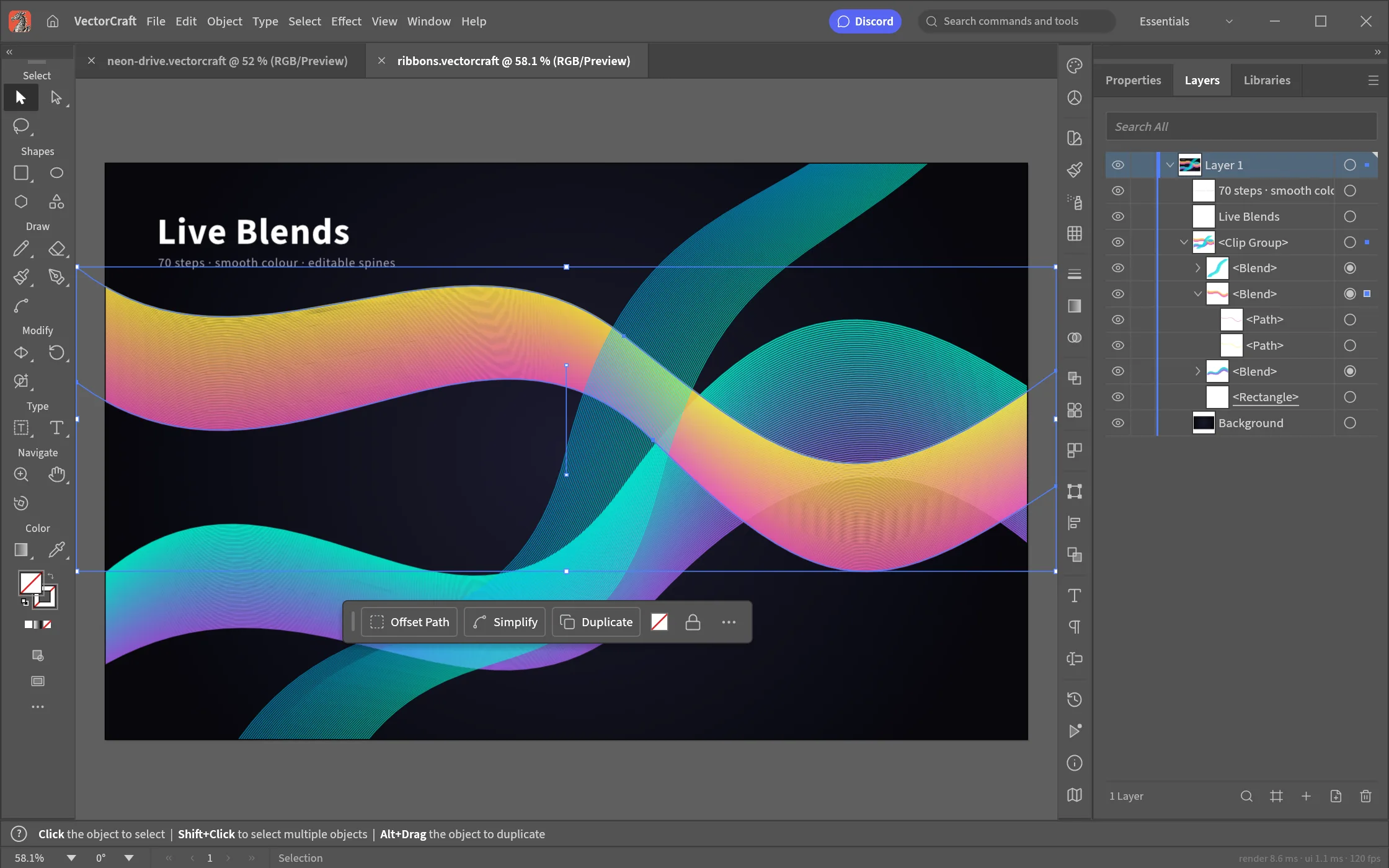
The Pen, Direct Selection, Pathfinder, Smart Guides, Appearance, Swatches and Layers — the Illustrator layout, tools, panels and shortcuts, rebuilt clean-room in Rust.
01 / VectorCraft Vector illustration · Web
01 VectorCraft
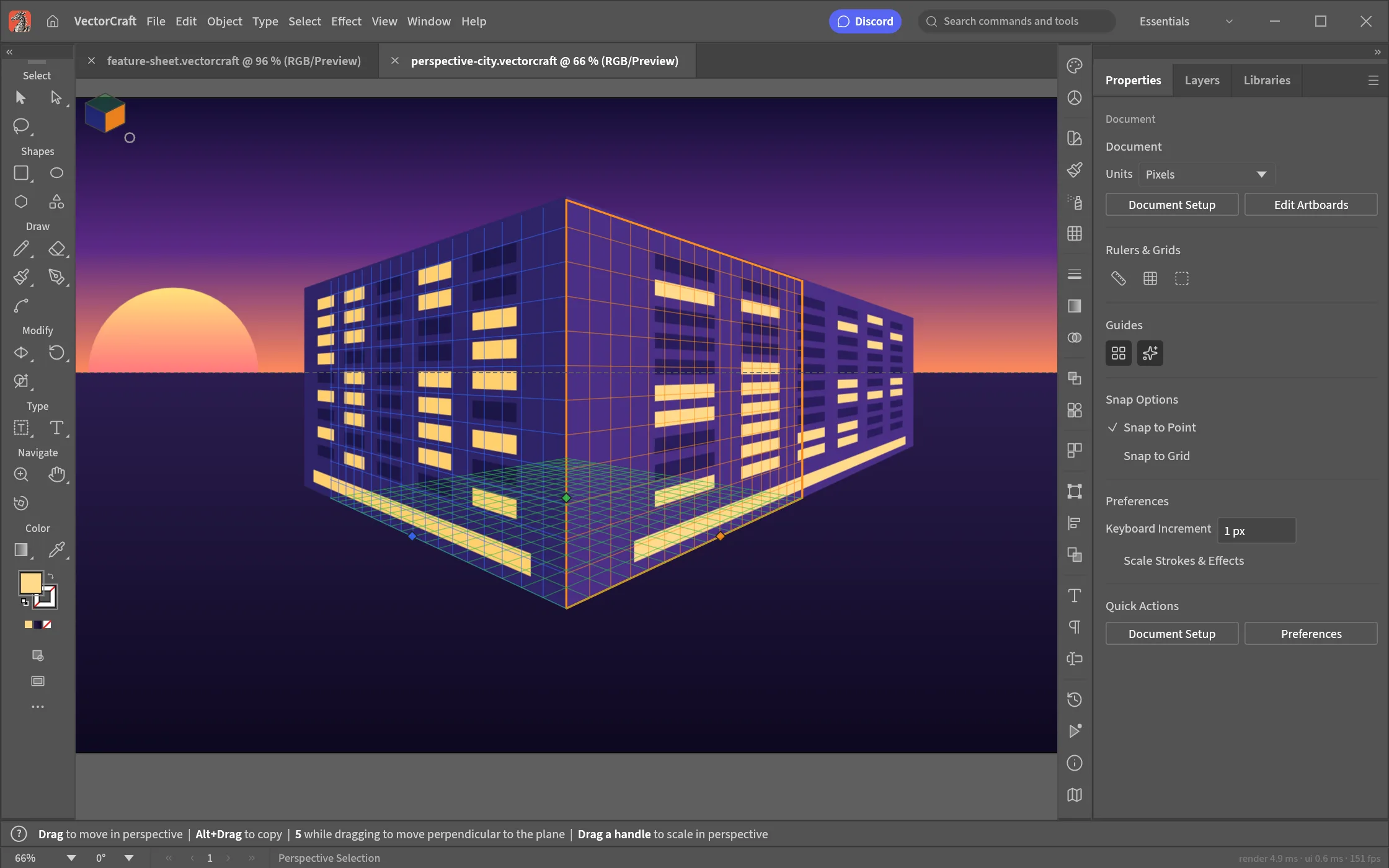
Pen tool, Pathfinder, blends, gradient meshes, perspective grids and artboards — a free, open-source Illustrator alternative written entirely in Rust and compiled to WebAssembly. It opens SVG, PDF and .ai files, needs no account, never uploads your artwork, and works offline. Open the VectorCraft editor — free and open source.
Runs in your browser — free and open source
02 / Highlights
01
The Pen, Direct Selection, Pathfinder, Smart Guides, Appearance, Swatches and Layers — the Illustrator layout, tools, panels and shortcuts, rebuilt clean-room in Rust.
02
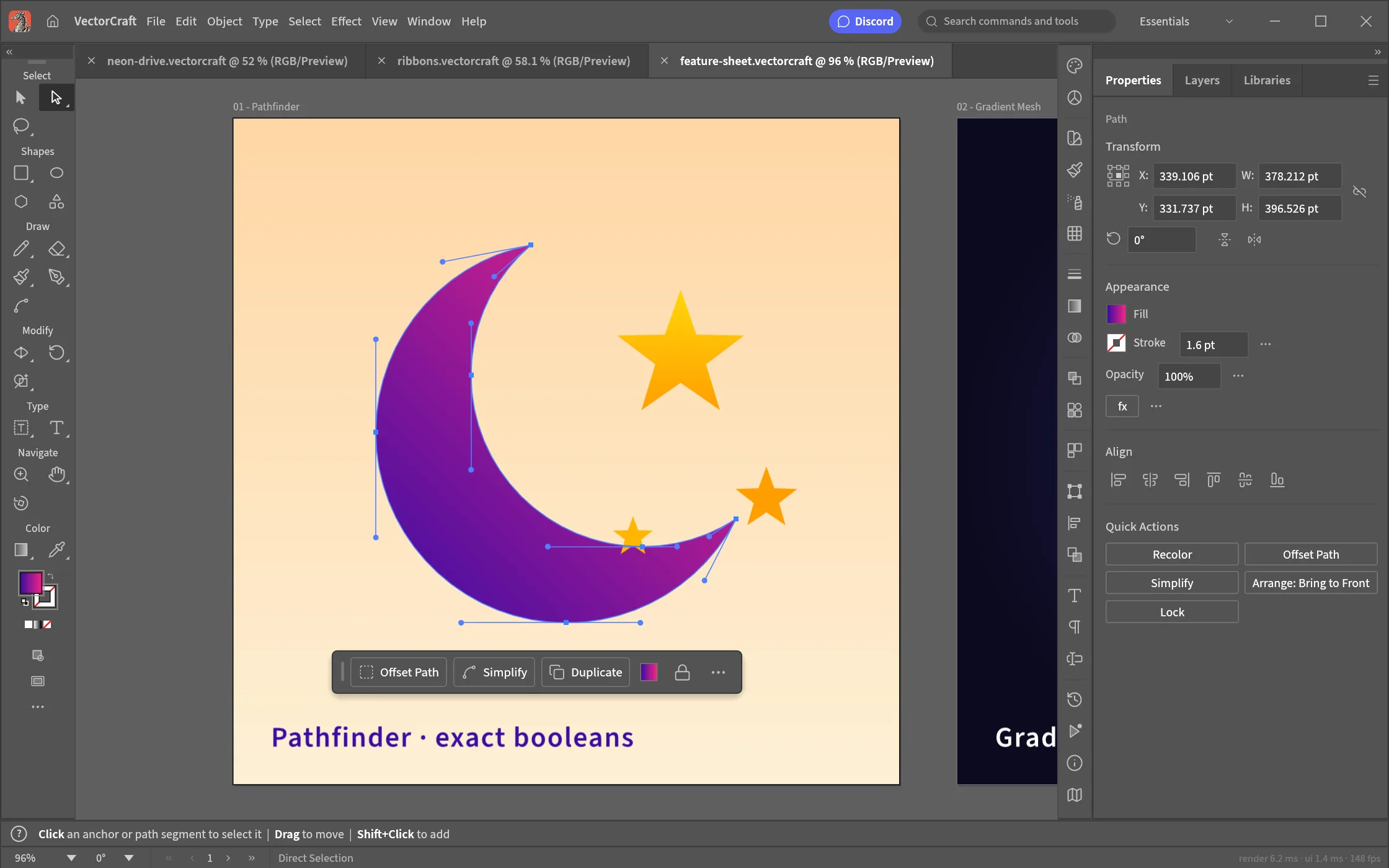
Booleans on exact Béziers — no “cannot perform operation” — property-tested file round trips, and unlimited undo via structural sharing.
03
Multithreaded SIMD rendering off the UI thread: 20,000 shapes in about 27 ms at retina resolution while the interface stays at 120 fps.
04
A documented native format (.vectorcraft, JSON), first-class SVG and SVGZ, PDF and PDF-compatible .ai, PNG/JPEG/WebP export, Export for Screens — plus EPS, DXF, EMF/WMF and PSD on open.
05
Every menu item, tool gesture, panel and dialog is drivable over a JSON control channel — and a hosted MCP server (mcp.artcraftweb.org) lets Claude and other agents drive this very tab: open the editor with ?mcp=<token> and point any MCP client at it.
06
One Rust codebase for desktop and the web; your files stay on your device in the browser build, cached for offline drawing.
03 / Made for
01
Pen and Bézier editing with Smart Guides, Pathfinder booleans, and crisp SVG export that drops straight into the web.
02
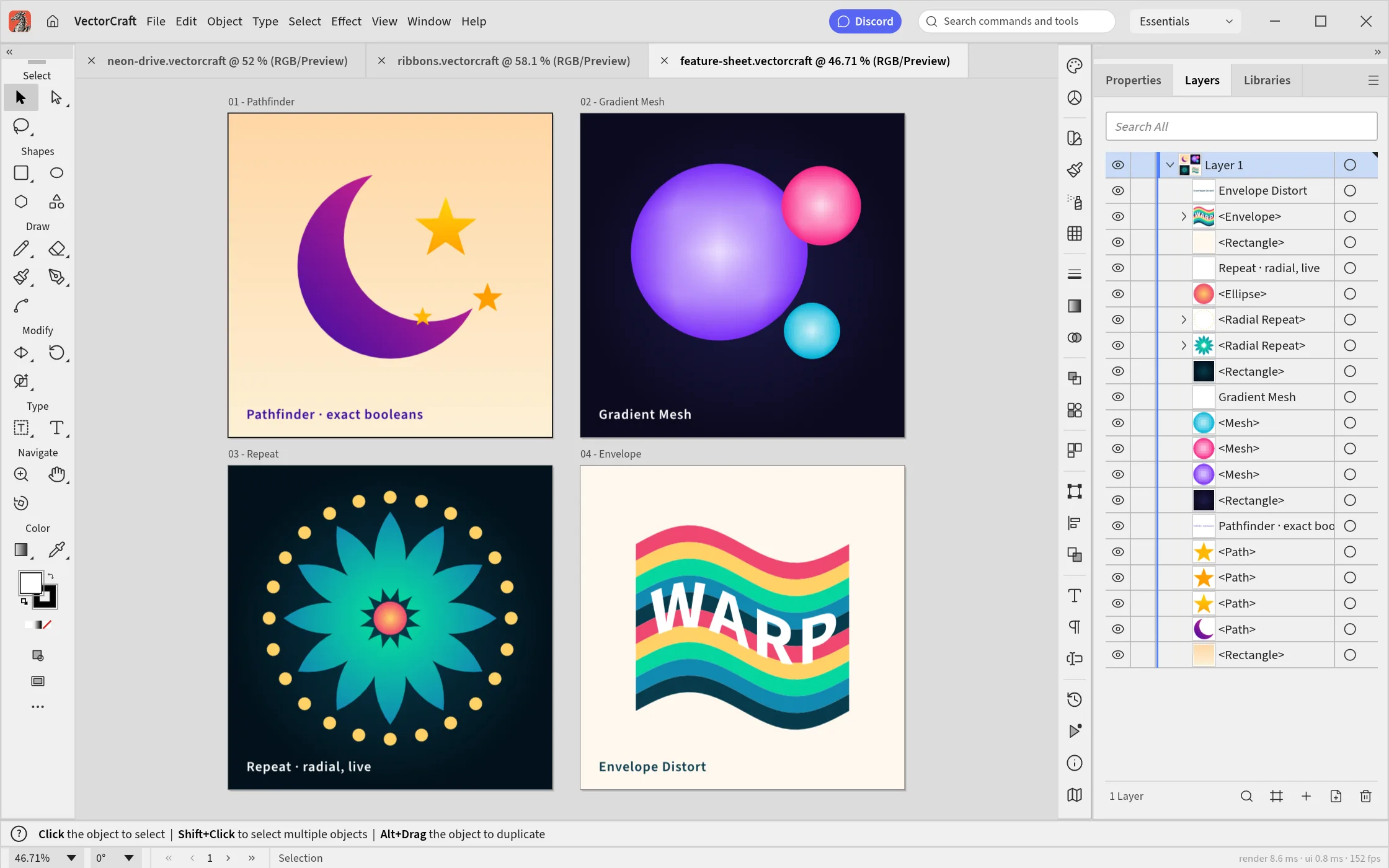
Blend ribbons, radial repeats, gradient meshes and envelope distort — the construction tools that turn flat shapes into illustration.
03
Artboards with per-board export, PDF for press, SVG for web, and PNG/JPEG/WebP batches through Export for Screens.
04 / How it works
VectorCraft boots in the browser — no download, no account. Start a document with artboards, or open an SVG, PDF or .ai file straight from your device.
Click out paths, bend them with Bézier handles, and let Smart Guides snap everything into place; the contextual task bar keeps the next action one click away.
Combine shapes with exact booleans, blend two paths into ribbons, repeat radially, and distort through envelopes — non-destructively.
Fills, strokes, gradients and gradient meshes through swatches; layers and appearance stack effects the way you expect.
SVG for the web, PDF for press, PNG/JPEG/WebP for screens — per artboard or batched with Export for Screens.
05 / Formats
| Format | Support | Notes |
|---|---|---|
| SVG / SVGZ | import + export | first-class round trips — the web’s own vector format |
| PDF / PDF-compatible .ai | import + export | with PDF/X on export for press |
| PNG, JPEG, WebP | export | raster at any resolution, per artboard or batched |
| EPS, DXF, EMF/WMF | import | legacy vector formats open for editing |
| PSD/PSB | import | placed as their merged image |
| GIF, TIFF, BMP | import | raster references for tracing and placement |
| Native format | import + export | documented .vectorcraft JSON — diffable and future-proof |
06 / Screenshots
07 / Get VectorCraft
The full vector engine, compiled to WebAssembly — no download, no installer, no account. It boots like a web page and draws like a native app.
Launch the editorInstall it as an app from your browser and VectorCraft keeps working without a connection — the shell, the engine and your last document are cached on your device.
Files open from and save back to your device as SVG, PDF or the documented .vectorcraft format. Nothing is uploaded — there is no server to upload to.
08 / FAQ
Yes. Open the editor with ?mcp=<token> and point any MCP client at mcp.artcraftweb.org/mcp?token=<token> — Claude and other agents can then draw, edit and export artwork, exactly like a person.
Yes. VectorCraft is free and open source under MIT OR Apache-2.0 — no subscription, no licence server, no telemetry. The web app needs no account.
Yes — exact Bézier editing, Pathfinder booleans and clean SVG export make it a solid logo and icon workflow; artboards hold a whole icon set with per-board export.
PDF-compatible .ai files open like any PDF; the newer proprietary flavor falls back to the same PDF stream most .ai files carry.
Yes — paths, gradients and text round-trip through the engine’s own SVG writer, property-tested against the importer; nothing is rasterized behind your back.
The Illustrator-style tool and command shortcuts are built in, and every menu item is also drivable over the JSON control channel and MCP for automation.
Yes — first-class SVG and SVGZ, PDF and PDF-compatible .ai files open in the browser tab, alongside EPS, DXF, EMF/WMF and raster formats including PSD.
PDF (including .ai-compatible) for print, SVG and SVGZ for the web, PNG/JPEG/WebP for screens, per-artboard and Export-for-Screens batches — all written by VectorCraft’s own Rust code.
Yes. Install VectorCraft as an app from your browser and the shell, the engine and your last document are cached on your device; drawing continues without a connection.
No. The editor runs in the tab; files open from and save back to your device in the documented .vectorcraft JSON format or SVG/PDF. There is no server to upload to.
Multithreaded SIMD rendering off the UI thread: 20,000 shapes render in about 27 ms at retina resolution while the interface stays at 120 fps — with exact curve booleans that never fail with “cannot perform operation”.
09 / The family
VectorCraft is one of a family of open crafting tools.
Pen, Pathfinder and perspective — in a tab, for free.
Start drawing